Virtual try-on powered by AI.
AI shows the product right on the shopper's own photo. Instead of guessing from a model, they see themselves – so they buy with more confidence and send less back.


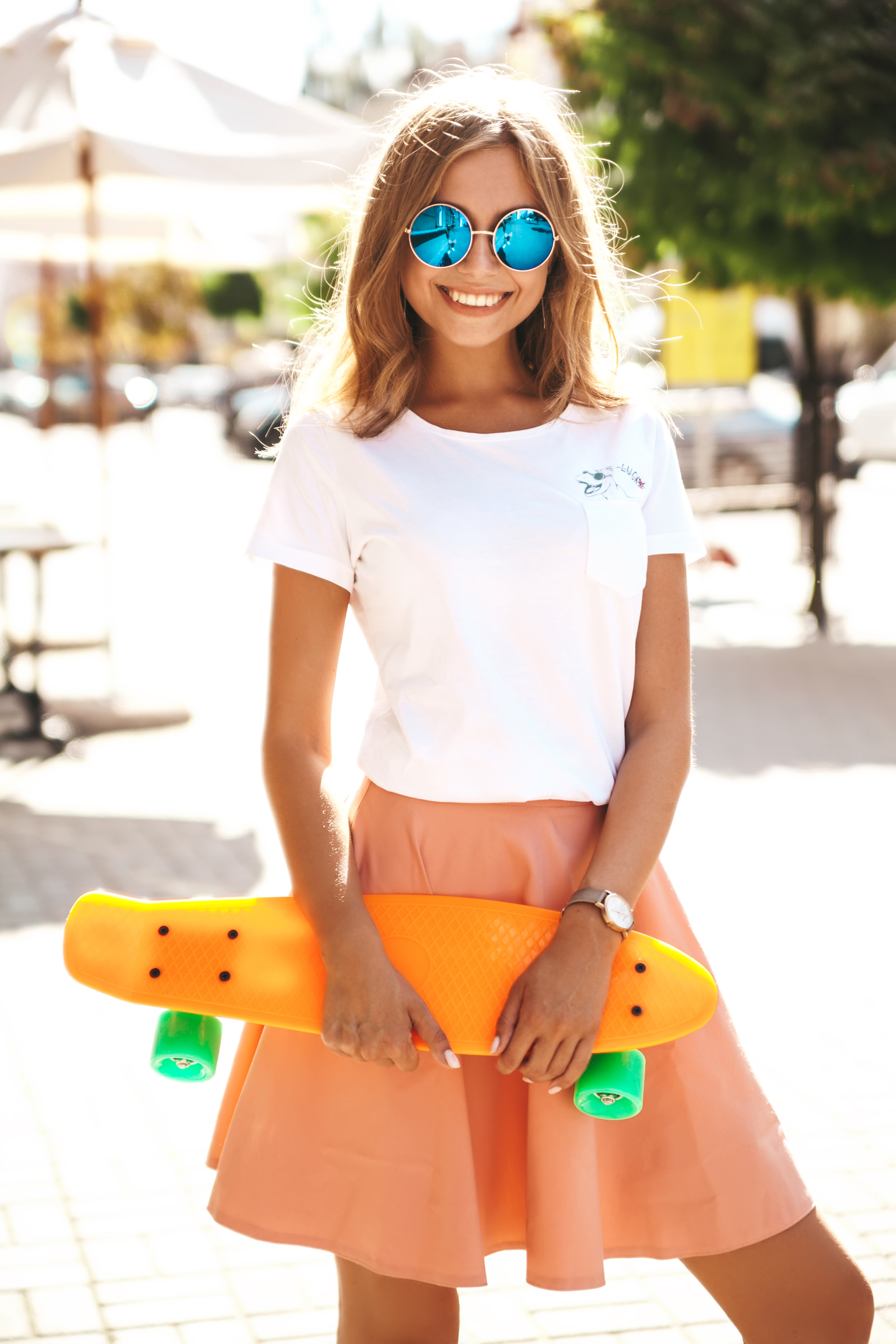
From a product photo to a try-on
The shopper takes a photo
Right on the product page, with a computer webcam or a phone.
AI dresses them
Dimera takes the product photo from your catalogue and renders the product on the shopper's photo.
They choose with confidence
The shopper sees how the product looks on them and adds to the cart what really suits them.
Prints, colours and cut – kept intact
The garment keeps its print, colour and logo, and drapes naturally on the body.
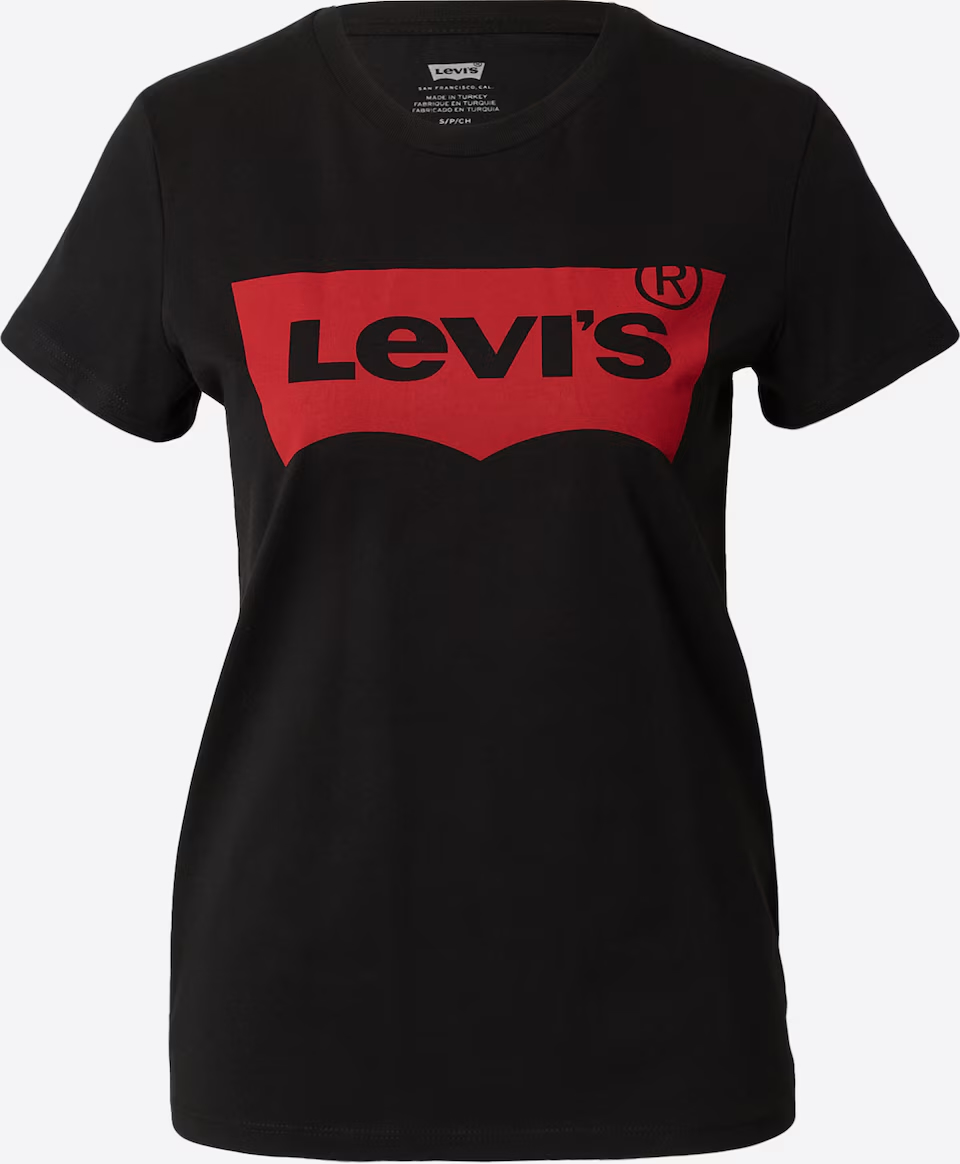 before · product
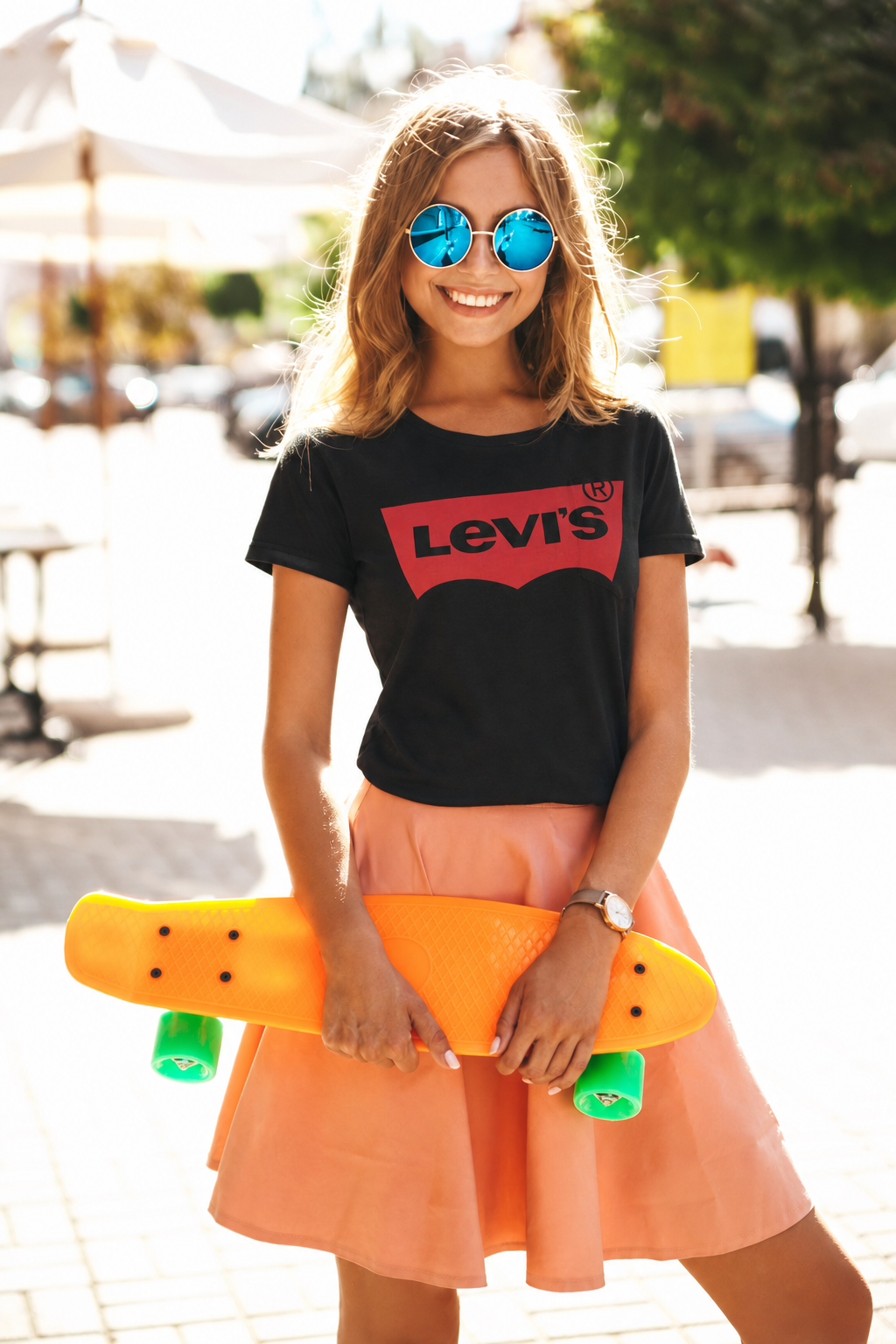 after · AI try-on
More than one picture
On the shopper's own photo
Not on a model – on the person who is about to buy, right on the product page.
A gallery of try-ons
Shoppers can go back to what they tried on earlier and compare the pieces side by side.
Share and ask
A try-on can be shared with a link – so a friend can say "take it" before checkout.
Shoes and accessories
Not just clothing – shoes, hats, gloves and accessories such as sunglasses too.
Where virtual try-on pays off
Fashion e-shops
Shoppers try the clothes on their own photo before they order. They buy with confidence and have no reason to send it back.
- more confident purchases
- fewer returns
Shoes and accessories
Shoes, caps and glasses are bought on looks. Show them on the shopper instead of on a white background.
- shoes
- caps
- glasses
Together with body measurement
Measurement picks the right size, the try-on shows the look – the two questions every online shopper asks.
- right size
- right look
One photo from the shopper is all it takes
The shopper takes a single photo of themselves. Everything else comes from your catalogue – the front and back product photos you already have, which together give the most accurate try-on.
Taken by the shopper, with a computer webcam or a phone – nothing else to fill in.
The photos from your product page. With both sides the AI understands the shape and cut best.
Product photos load from your XML feed or through the API – nothing to shoot or upload extra.
For a product in several colours, the shopper picks the one to try on.
Photos of people are sensitive – we treat them that way
A try-on only starts with the shopper's explicit consent. The photos are never used to train AI models, and everything is processed in line with GDPR.
Nothing is rendered until the shopper agrees.
Shoppers' photos are not used to train any model.
Photos are deleted right after processing.
Built to European privacy rules.
A button on the page, or the API behind it
Put the try-on button on any product page with two lines of code, or call the API from your own system.
Paste the snippet once and place the button wherever it belongs.
Start a try-on from your own app and fetch the finished image.
<!-- once, in your theme -->
<script src="https://dimera.app/widget/widget.js"
        data-key="…"></script>

<!-- the button, on a product page -->
<div class="dimera" data-product="SKU-1042"></div>Pay by the try-on
Simple and credit-based. Credits are spent only when Dimera renders an image – no per-seat fees, no lock-in.
Explore the rest of Dimera
Virtual try-on, answered
Usually one – a clean front-on photo. For shoes, gloves and accessories a back photo is used as well when you have one, because a small object has no shape from a single flat photo.
See it worn before they buy.
Add AI try-on to your store and shoppers will choose right on their very first order.